How to Watch IPTV on PlayStation (PS4 & PS5) | IPTV Subscription Canada
Learn how to watch IPTV on PlayStation using Plex on PS4 and PS5. Complete Canadian setup guide with IPTV Subscription tips, troubleshooting, and streaming advice.
Related pages

How to Watch IPTV on PlayStation (PS4 & PS5) - IPTV Subscription Canada
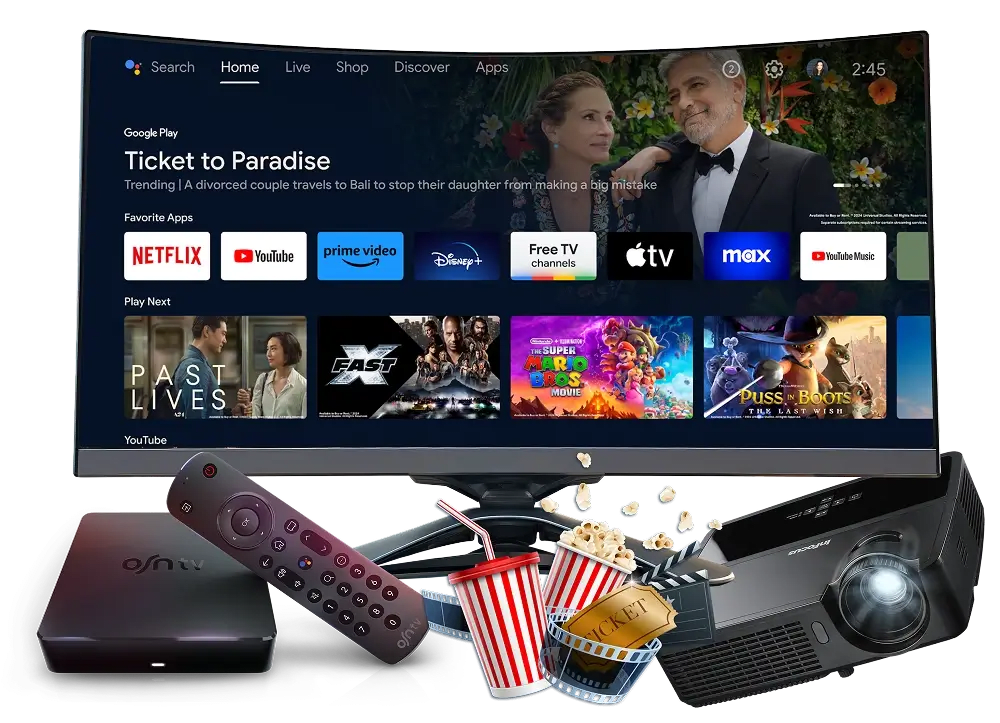
Many PlayStation owners wonder whether they can enjoy IPTV on PlayStation without purchasing another streaming device. Although Sony doesn't provide a dedicated IPTV application for PS4 or PS5, it is still possible to enjoy live television by using Plex as a media bridge.
Instead of installing an IPTV player directly on the console, Plex streams your IPTV Subscription from your computer to your PlayStation. Once configured, you can browse live TV, entertainment, sports, movies, and international content directly from your console.
This guide explains every step of the installation process, along with practical tips to improve streaming quality.
Why PlayStation Doesn't Support IPTV Apps
Unlike Android TV or Fire TV devices, PlayStation does not include IPTV applications inside the PlayStation Store.
Instead, Sony allows media streaming applications like Plex, making it possible to access IPTV content indirectly.
With this method you can enjoy:
- Live TV
- Sports events
- Movies
- TV series
- International chan-nels
- News broadcasts
- Music television
Both PS4 and PS5 support Plex, making this the easiest long-term solution.
What You'll Need Before Starting
Before configuring IPTV on PlayStation, prepare the following:
- A PlayStation 4 or PlayStation 5
- Stable broadband internet
- An active IPTV Subscription
- M3U Playlist URL
- XMLTV EPG link (recommended)
- Windows or Mac computer
- Free Plex account
Having everything ready will make the installation much faster.
Step 1 — Install Plex on Your PlayStation
Start by installing Plex directly from the PlayStation Store.
Installation
- Open PlayStation Store.
- Search for Plex.
- Download the application.
- Launch Plex.
- Sign in with your free Plex account.
Leave the application open while completing the remaining setup.
Step 2 — Install Plex Media Server
Next, install Plex Media Server on your computer.
The computer acts as the streaming hub between your IPTV Subscription and your PlayStation.
After installation : Sign into the same Plex account. , Allow Plex to complete its initial setup. , Keep the computer powered on whenever you plan to watch IPTV.
Step 3 — Prepare Your IPTV Subscription
Your IPTV provider should supply several important details.
Typically you'll receive:
- M3U Playlist URL
- XMLTV Guide
- Username
- Password (if required)
Verify that every link works correctly before moving forward.
Step 4 — Configure a Virtual TV Tuner
Plex cannot read M3U playlists directly.
Instead, you'll need a virtual tuner application.
Popular options include : Threadfin, xTeVe.
After installation: Paste your M3U playlist. , Import the XMLTV guide. , Save the configuration.
The software creates a virtual television tuner that Plex recognizes.
Step 5 — Connect Plex to the Virtual Tuner
Navigate to : Settings → Live TV & DVR >>>> Select : Set Up DVR >>>> Plex automatically searches for available tuners.>>>Choose the virtual tuner created by Threadfin or xTeVe.>>>> Allow Plex to scan the IPTV source.>>>>> After several minutes, your IPTV service becomes available inside Plex.
Step 6 — Import the TV Guide
Adding the program guide improves navigation.
Inside Plex:
- Open Live TV settings.
- Add your XMLTV file.
- Paste the guide URL.
- Match listings when requested.
- Save changes.
Once synchronization finishes, program schedules appear beside your live content.
Step 7 — Watch IPTV on Your PlayStation
Return to the Plex application on your PS4 or PS5.>>> Choose your server.>>>>> Open: Live TV & DVR and Your IPTV library should now appear.
Browse: Entertainment , Sports , Movies , Kids , News , Documentary , International chan-nels.
Select any stream to begin watching.
Why Canadians Use IPTV on PlayStation
Many households in Canada already own a PlayStation, making it a convenient entertainment hub.
Using Plex eliminates the need for purchasing another streaming device while allowing access to live television through an IPTV Subscription.
Benefits include:
- No additional hardware
- Large-screen viewing
- High-definition playback
- Easy navigation
- One interface for movies and live TV
- Supports thousands of international chan-nels
Frequently Asked Questions
Can I install an IPTV app directly on PS5?
No. The PlayStation Store does not currently offer dedicated IPTV player applications. Plex remains the most practical solution.
Does PS4 have another option?
Yes,PS4 includes a web browser that can access certain web-based IPTV portals. However, Plex generally offers a more stable and feature-rich experience.
Do I need a computer?
Yes,Plex Media Server must run on a Windows or Mac computer because it streams your IPTV Subscription to the PlayStation.
Is Ethernet better than Wi-Fi?
Yes, A wired connection usually provides lower latency, more consistent speeds, and fewer interruptions during streaming.
Conclusion
Setting up IPTV on PlayStation is straightforward once Plex Media Server and a virtual tuner are configured. Although PS4 and PS5 don't support dedicated IPTV applications, Plex provides an effective bridge between your IPTV Subscription and your console.
After completing the setup, you can enjoy live TV, sports, movies, news, and international chan-nels directly from your PlayStation. For the best viewing experience, use a reliable internet connection, keep Plex updated, and choose a trusted IPTV Subscription provider that offers stable M3U playlists and an accurate TV guide.
This approach gives Canadian users a flexible way to turn a PlayStation into a complete home entertainment system without purchasing additional streaming hardware.
Helpful IPTV links
IPTV subscription plans Canada • IPTV FAQ and troubleshooting • Premium IPTV features • IPTV Smarters installation guide • IPTV installation hub (all devices) • IPTV Canada on Firestick • IPTV reseller program • IPTV setup tips and blog guides
IPTV Smarters Pro — official downloads • IBO Player — official website • VLC media player